


Zip News: Latest & Alerts
4.2500.00 Reviews
App Specs
- Version
- 2.5.5
- Updated On
- License
- Free
- Downloads
- 1,000,000+
- Developer
- EASE Group
- Categories
- News & Magazines
- Platform
- Android
Screenshots

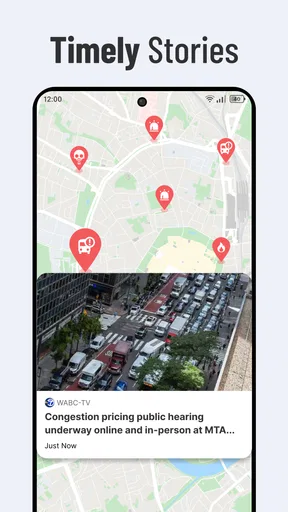
 Analysis by AppCompare
I tend to check the news in short bursts: a glance before work, another while waiting for lunch, and perhaps a longer read when the day settles down. That routine is exactly where Zip News: Latest & Alerts makes sense. It is a free news app from EASE Group, built around personalized updates rather than asking me to browse every section in search of a story that matters. Its central idea is simple: choose topics, follow a feed shaped around those interests, and use alerts to catch important developments. I like that focus, though a tailored feed is most useful when I treat it as a starting point rather than a complete picture of the world.
Getting to Know Zip News
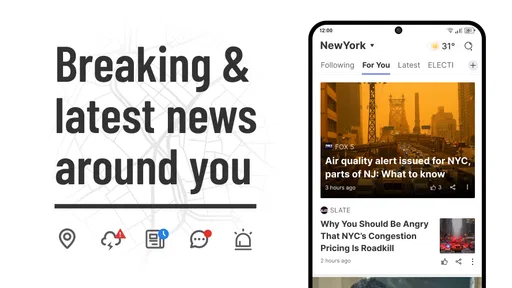
Jumping right into Zip News: Latest & Alerts, the app is designed to give you quick updates and alerts on current events. It’s like having a personal news assistant that only bothers you with stuff you care about. The first thing that hit me was the clean, minimalistic layout. No clutter, just straight-up news. You can even customize the topics you’re interested in, which is a lifesaver. I mean, who really wants to read about everything under the sun?
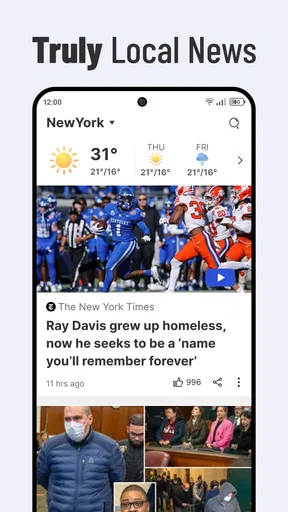
The point of that personalization is practical: it reduces the amount of scanning between stories you already know you will skip. If I mainly want to follow local concerns, business, or sport, selecting relevant interests gives my routine a clearer shape than opening a broad front page and starting from scratch. The trade-off is that a narrow selection can make the feed feel more complete than it is. I’d keep a few interests outside my usual habits so that convenience does not quietly become a filter around only familiar subjects.
That balance matters because breaking news rarely arrives neatly inside one topic. A public event can affect travel, health, business, and politics at once. I would use the personalized feed to find the subjects I follow most closely, then widen my reading when a story has consequences beyond its obvious category. In that sense, the app is better as a quick personal briefing than as my only source for understanding a complicated event.
User Experience
When it comes to navigating the app, it's pretty intuitive. You’ve got your main feed with all the headlines and a handy menu to toggle between different categories. The alerts are super handy too—timely and not too intrusive. It's like getting a friendly nudge when something big happens. I found myself using it more and more, just because it’s so easy to keep up with whatever’s happening.
For a realistic routine, I can picture checking the feed over breakfast, noticing a developing story, and saving it rather than trying to read everything before leaving home. Later, I can return to the saved article when I have a proper pause. This small two-step habit—scan first, read later—keeps the app useful without turning every spare minute into a news session. It also gives alerts a defined role: they can prompt me to look, but they do not have to dictate when I spend time reading.
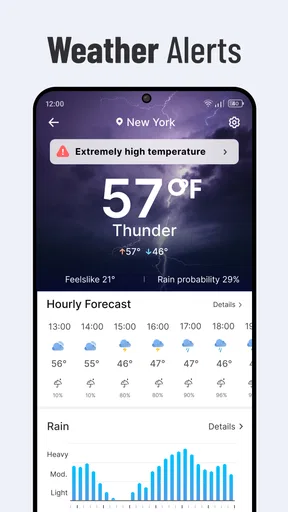
Notifications are the part I would manage most deliberately. An alert can be helpful when the subject is genuinely time-sensitive, but frequent interruptions can make even a good news source feel like noise. I’d begin with only the topics where a prompt has real value, then adjust if the stream feels too quiet or too busy. That is a better approach than enabling every possible update and reacting to the phone all day. People who need immediate, comprehensive emergency warnings should rely on appropriate official alert channels as well, rather than assuming a general news feed covers that need.
Worth Reading Before You Choose

Baby Panda World Brings Quick Play to Modern Phones, but Its Game Library Feels Busy

ESPN’s Live Game View Makes Following Close Games Easier

QuizzLand Review: A Good Fit for Short Trivia Breaks, Not Every Player

Basketball Stars: Multiplayer Is Fast, but Can It Recover When Matches Go Wrong?

WEBTOON Turns Phone Updates Into a Better Reading Routine

Link to Windows Runs on Shared Habits, Not Social Feeds
Features That Stand Out
One feature that really stood out to me is the ability to save articles for later. It’s perfect for when you’re on the go and want to dive deeper into a story when you have time. The app also offers a "Read Aloud" function, which is great for multitasking. Whether you’re driving, cooking, or pretending to work, you can stay informed without even looking at your phone. How cool is that?
Saving is most useful when I give it a purpose: I can collect a few stories during a quick check, then open them together when I have time to concentrate. Otherwise, a saved list can become another pile of headlines I never revisit. I would treat it as a short reading queue and clear it regularly, keeping only items I genuinely want to follow. That workflow turns a passing alert into a more deliberate read, while avoiding the pressure to finish every article the moment it appears.
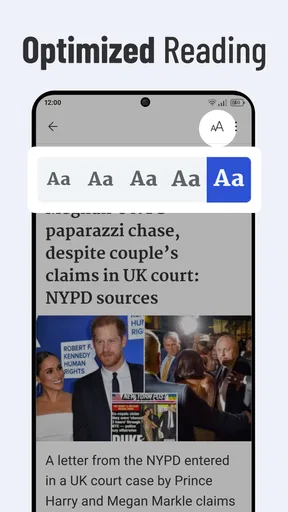
Read Aloud changes the kind of moment in which the app can fit. It is handy when my eyes are occupied with a safe, routine task, but it is not a reason to read or operate the phone while driving. I’d prepare the story before setting off and listen only when doing so does not distract from the road. For complicated reporting, audio may also be less convenient than text: names, figures, and details are easier to revisit visually. I see it as an accessibility and convenience option, not a replacement for every reading situation.
People often ask whether this kind of app can replace a newspaper app or a web search. I would not make that swap automatically. A newspaper app may be preferable when I want a particular publication’s reporting and editorial perspective; a browser search is better when I need to investigate a specific question across sources. Zip News is more appealing for routine discovery: it can bring selected interests and current headlines into one place, reducing the effort of checking multiple front pages. For an important or disputed story, I would still compare coverage and read beyond a headline.
Customizing Your News
Customization is where this app really shines. You can select your favorite topics and even silence the ones you’re not interested in. This means you’re only getting updates that matter to you, making your news experience personal and relevant. If you’re into sports, politics, or just the latest celebrity gossip, Zip News has got you covered.
There is a useful distinction between customizing what appears in the feed and deciding what deserves attention in the first place. I would review my topic choices whenever my interests change, rather than assuming an initial setup will remain right indefinitely. A student following a subject for a course, for instance, might add it temporarily and remove it once the need passes. Someone keeping up with a team or industry could instead leave that interest in place while muting unrelated subjects. These choices make the feed more workable, but they do not guarantee that every important angle will appear.
If you are wondering whether the app suits a particular reading style, I’d put it this way: it is a natural fit for someone who wants a personalized stream of headlines and likes to decide what to open. It is less suited to a reader who wants one publication’s complete edition, long-form reporting as the main experience, or a carefully balanced overview without adjusting topics. In those cases, a newspaper subscription app, a dedicated publication, or a broader set of sources may serve better. The right choice depends on whether convenience or editorial depth is your priority.
On the practical side, the app is listed for everyone and is free, so trying it does not require a purchase. It has a 4.1 average from around 14,000 ratings, and more than a million installs, which suggests it has found a sizeable audience without telling me whether its particular mix of stories will suit you. It was released on March 7, 2023, and version 2.5.3 is the current version. The minimum operating system is 8.0, so I’d check that an older device meets the requirement before trying to install it.
The Verdict
So, is Zip News: Latest & Alerts worth downloading? Absolutely. It’s a solid app that delivers news in a digestible format, perfect for those of us with busy lives. If you’re tired of getting bombarded by irrelevant news and want a more streamlined experience, give it a shot. You might just find yourself more informed, without the stress of sifting through endless headlines.
My recommendation comes with one qualification: use personalization to make checking the news easier, not to narrow your awareness without noticing. Choose a few useful topics, keep notifications purposeful, and use saved stories as a bridge to reading when you have time. If that matches the way you already consume news, Zip News can make quick check-ins feel more focused. If you prefer a single newsroom’s full coverage or want to research every side of a developing story in depth, pair it with a publication or other sources instead of asking one personalized feed to do everything.
Pros
- Easy-to-navigate interface for quick updates.
- Customizable alerts for personalized news.
- Wide range of news sources included.
- Offline reading mode available.
- Minimal ads for a cleaner experience.
Cons
- Limited regional news coverage.
- No dark mode option available.
- Occasional delay in push notifications.
- Requires account for full features.
- Some articles lack in-depth analysis.
FAQs for Zip News: Latest & Alerts
What is Zip News and how does it work?
Zip News is an innovative news aggregation app that delivers the latest headlines and alerts from various global sources directly to your device. It curates news based on your interests and preferences, ensuring you stay updated with the most relevant stories. The app offers a user-friendly interface and customizable notifications to keep you informed without overwhelming you.
Can I customize the news categories in Zip News?
Yes, Zip News allows users to personalize their news feed by selecting preferred categories such as politics, technology, sports, entertainment, and more. This customization ensures you receive updates on topics that matter most to you, enhancing your news consumption experience by filtering out irrelevant content.
Is Zip News available for both Android and iOS devices?
Zip News is available for download on both Android and iOS platforms. You can easily find the app on the Google Play Store for Android devices and the App Store for iOS devices. This cross-platform availability ensures that users can access the latest news and alerts regardless of their device preference.
Does Zip News require an internet connection to function?
Yes, Zip News requires an active internet connection to fetch and update news content in real-time. While the app can cache previously loaded articles for offline reading, a connection is necessary to access the latest updates and receive timely alerts. Ensure your device is connected to Wi-Fi or mobile data for optimal use.
Is there a subscription fee for using Zip News?
Zip News offers both a free version and a premium subscription model. The free version provides access to basic features and a limited number of news sources, while the premium subscription unlocks additional features like ad-free browsing, exclusive content, and enhanced customization options. Users can choose based on their needs and preferences.


